
Rebuilding Scheduling Workflows for Hybrid Teaching & Professional Clinics
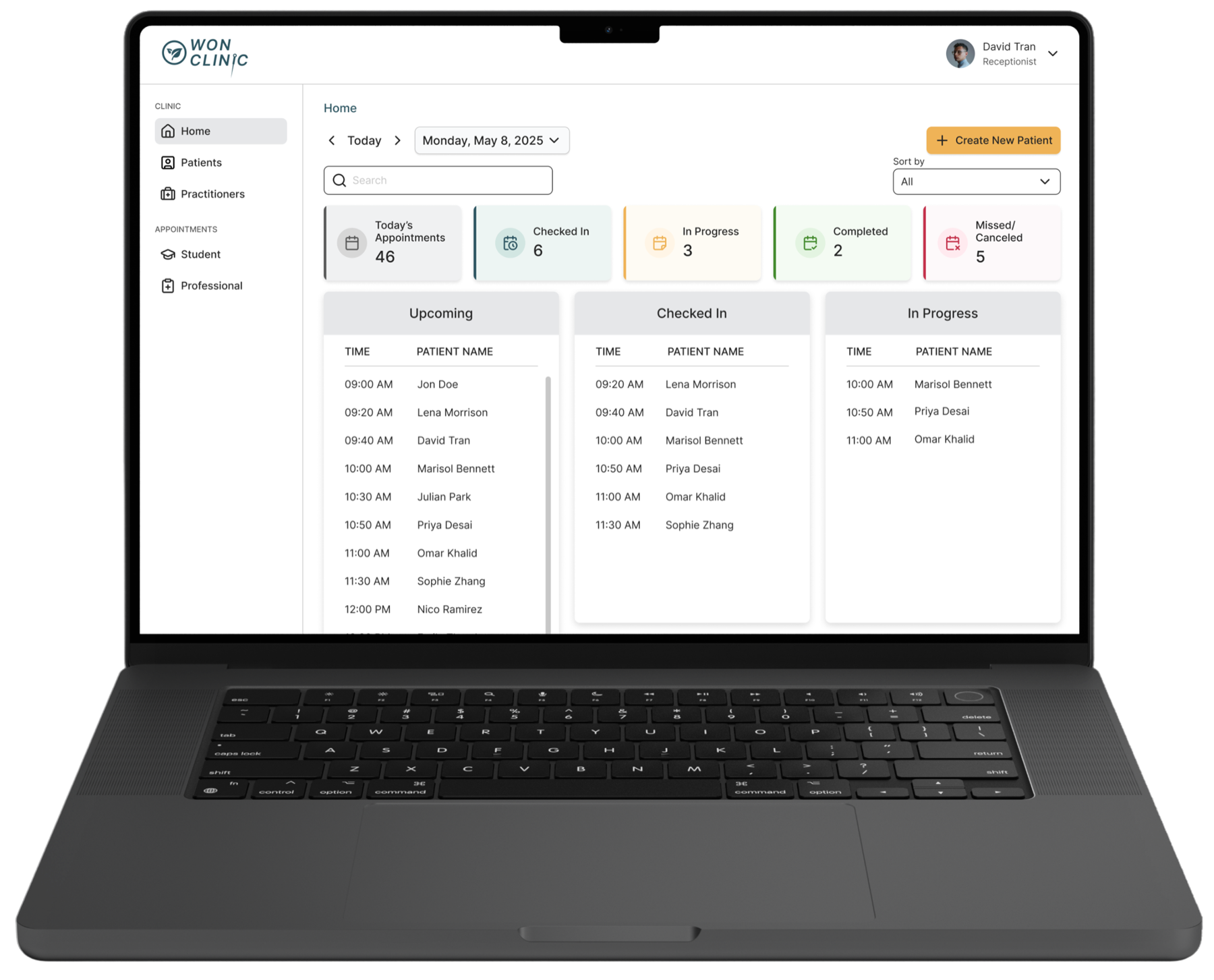
Olei is a B2B SaaS platform for healthcare clinics. Our client runs two types of clinics: a professional clinic seeing real patients, and a teaching clinic where students train under supervision.
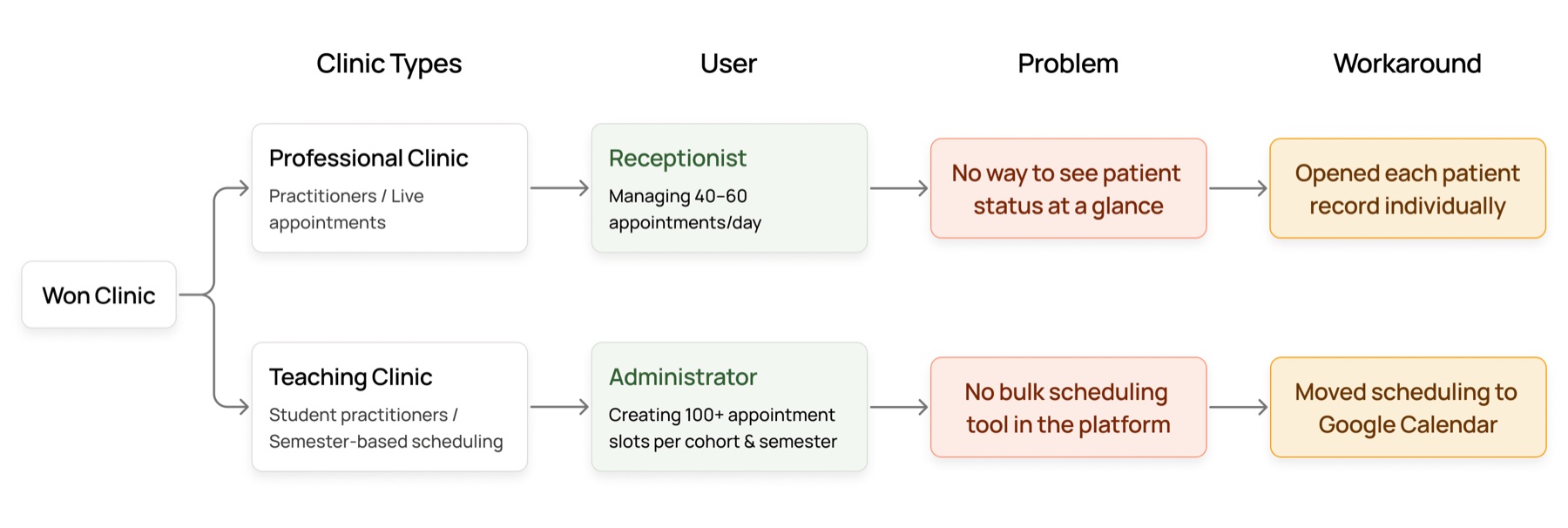
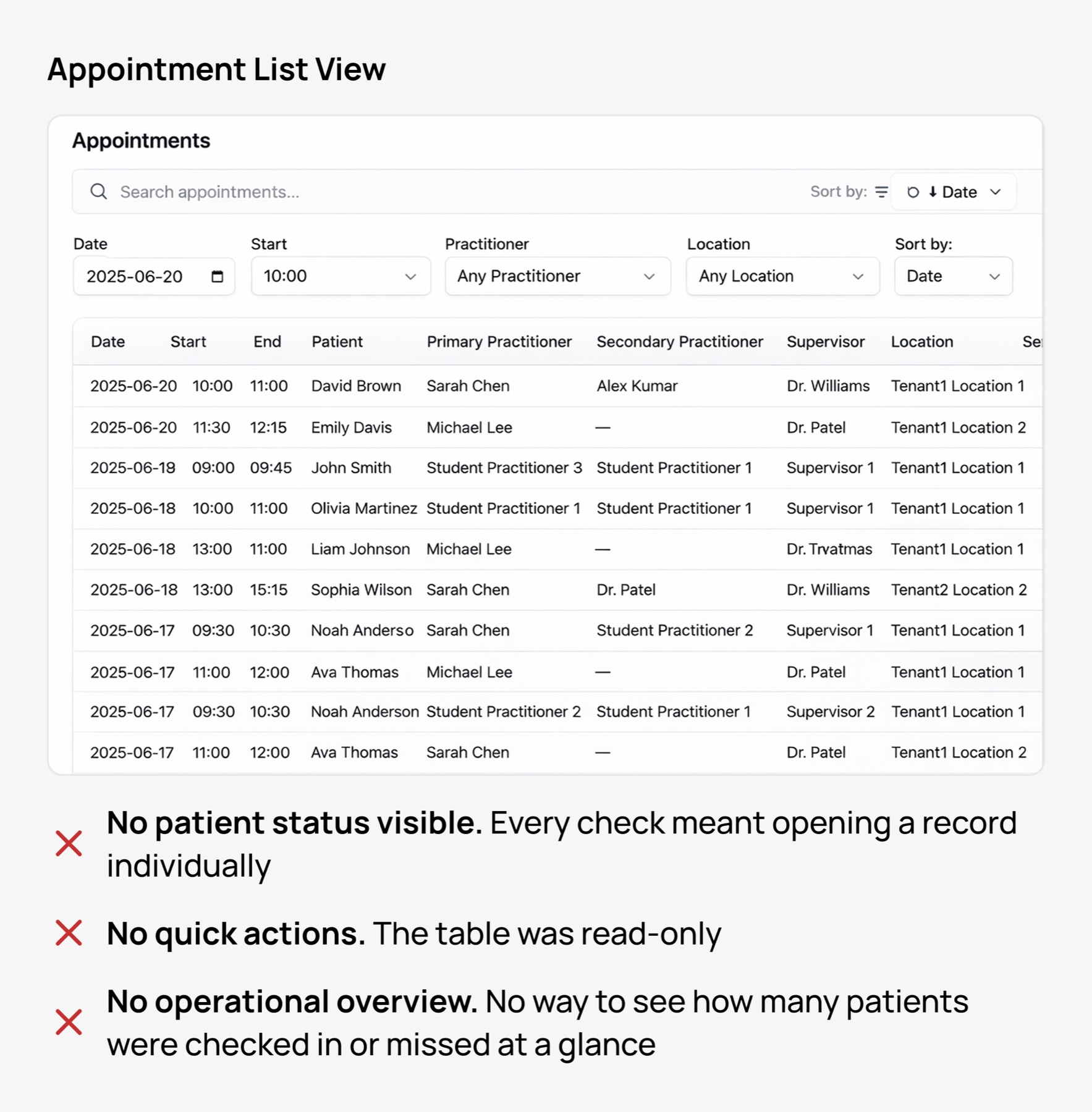
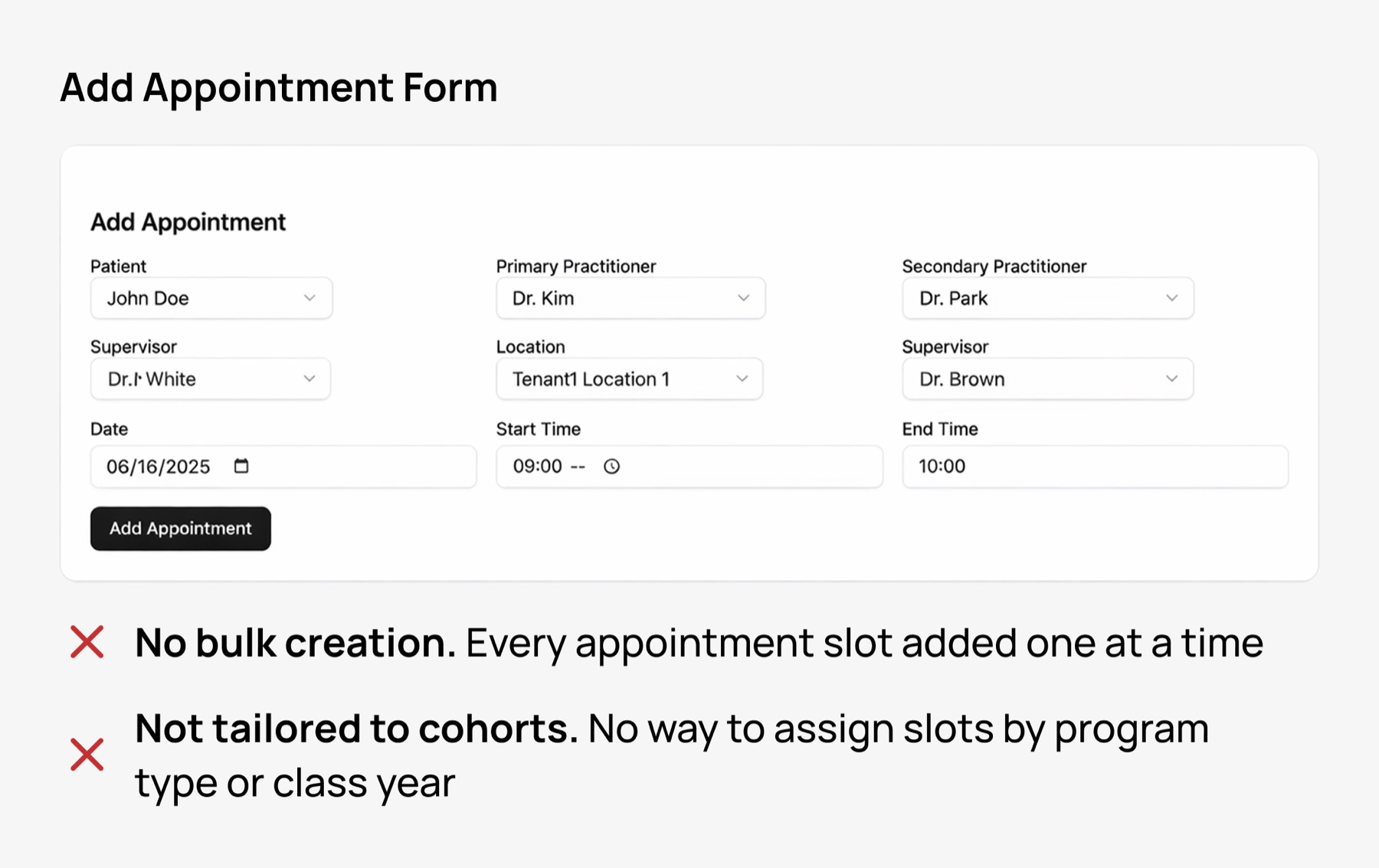
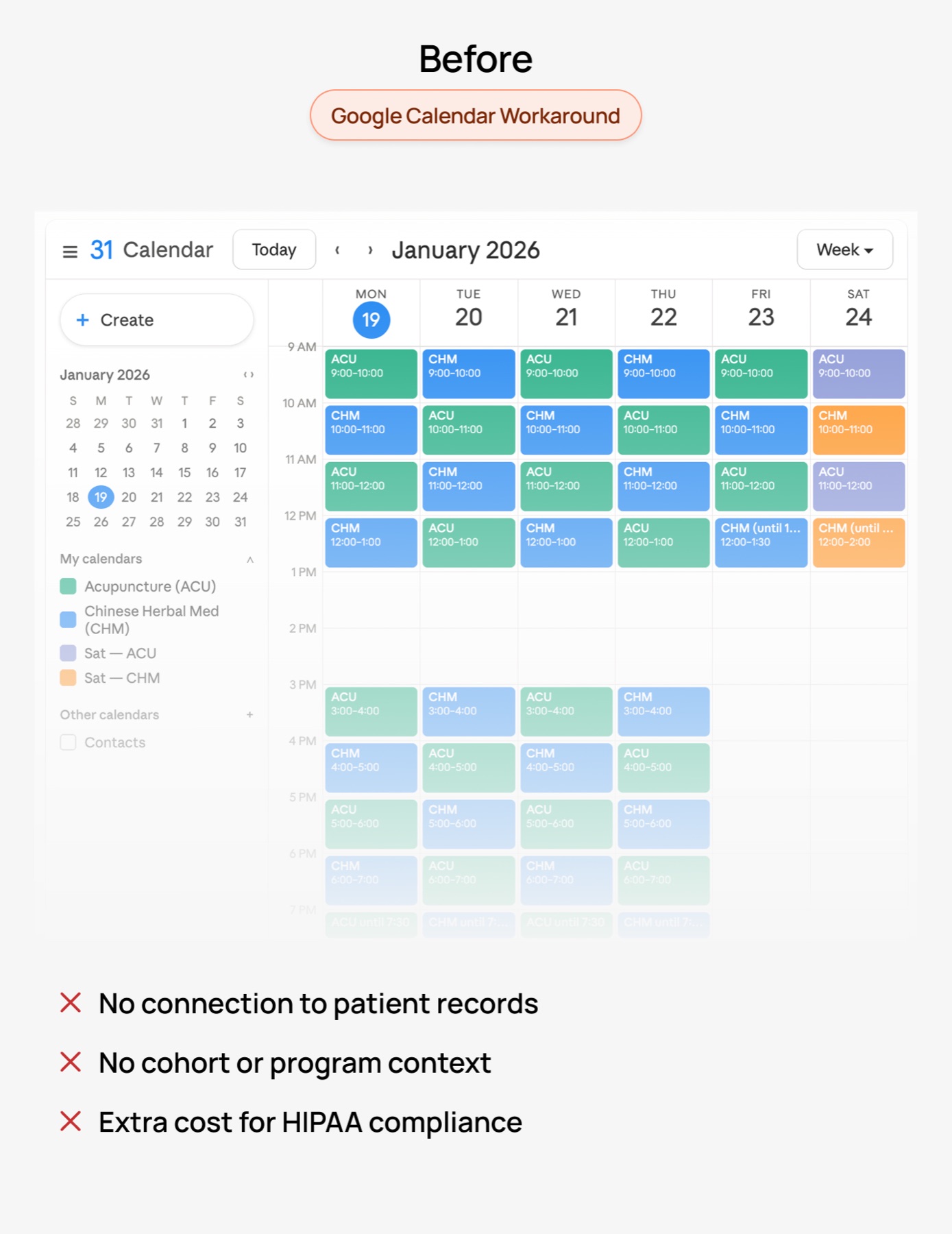
Receptionists had no way to see patient status at a glance during a live front desk shift. Admins couldn't create bulk appointment blocks for student cohorts, so they moved to Google Calendar.
I designed a real-time receptionist dashboard and a native bulk scheduling tool that brought teaching clinic management back into the platform.
- 0% Reduction in time to complete a first-time patient booking
- 0% Reduction in time to generate semester-based appointment schedules
- Eliminated Google Calendar dependency For semester-based teaching clinic scheduling
The Problem
One platform. Two workflows. Neither working.
The Solution
Two tools built for two broken workflows.
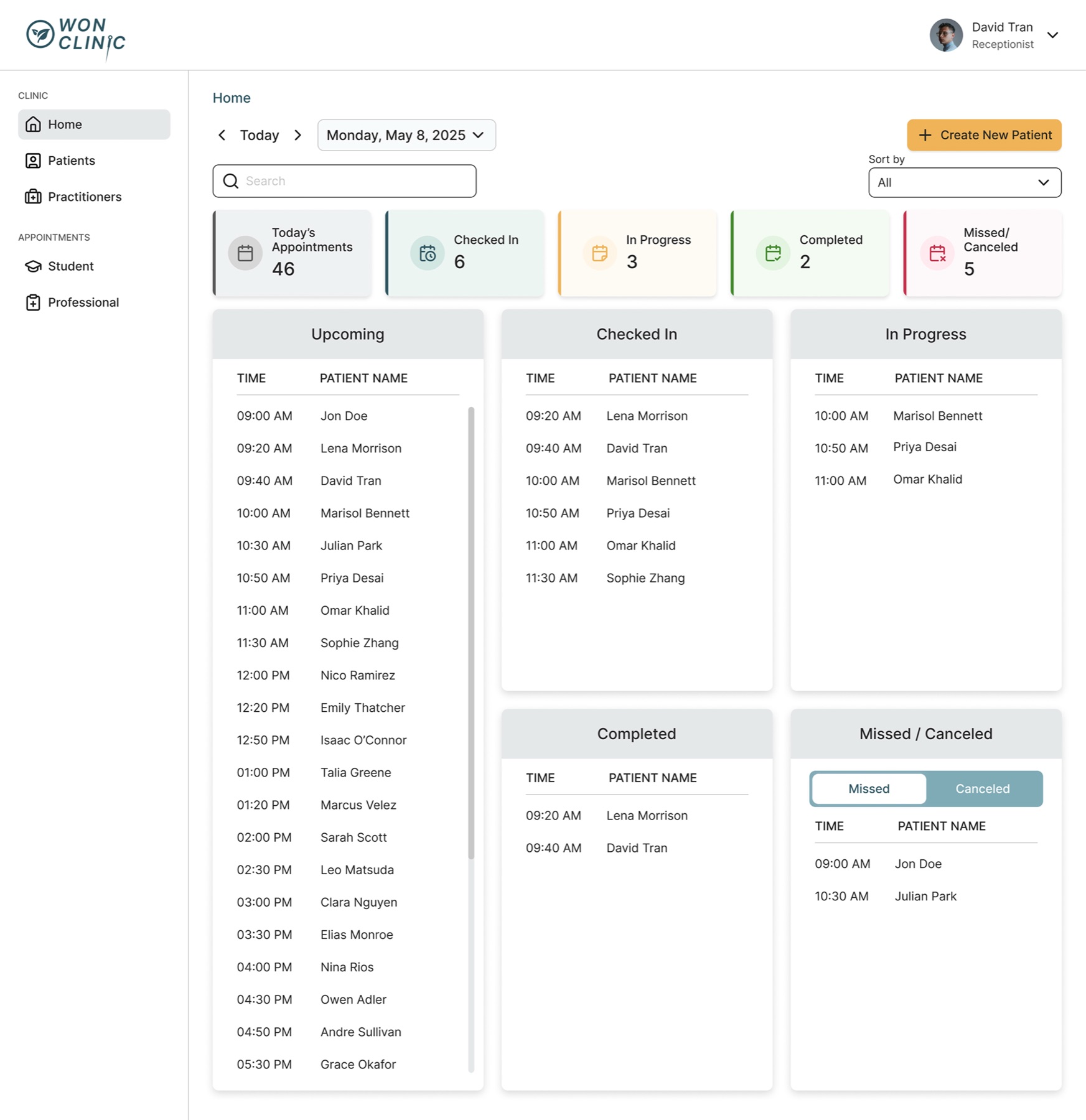
Receptionist Dashboard
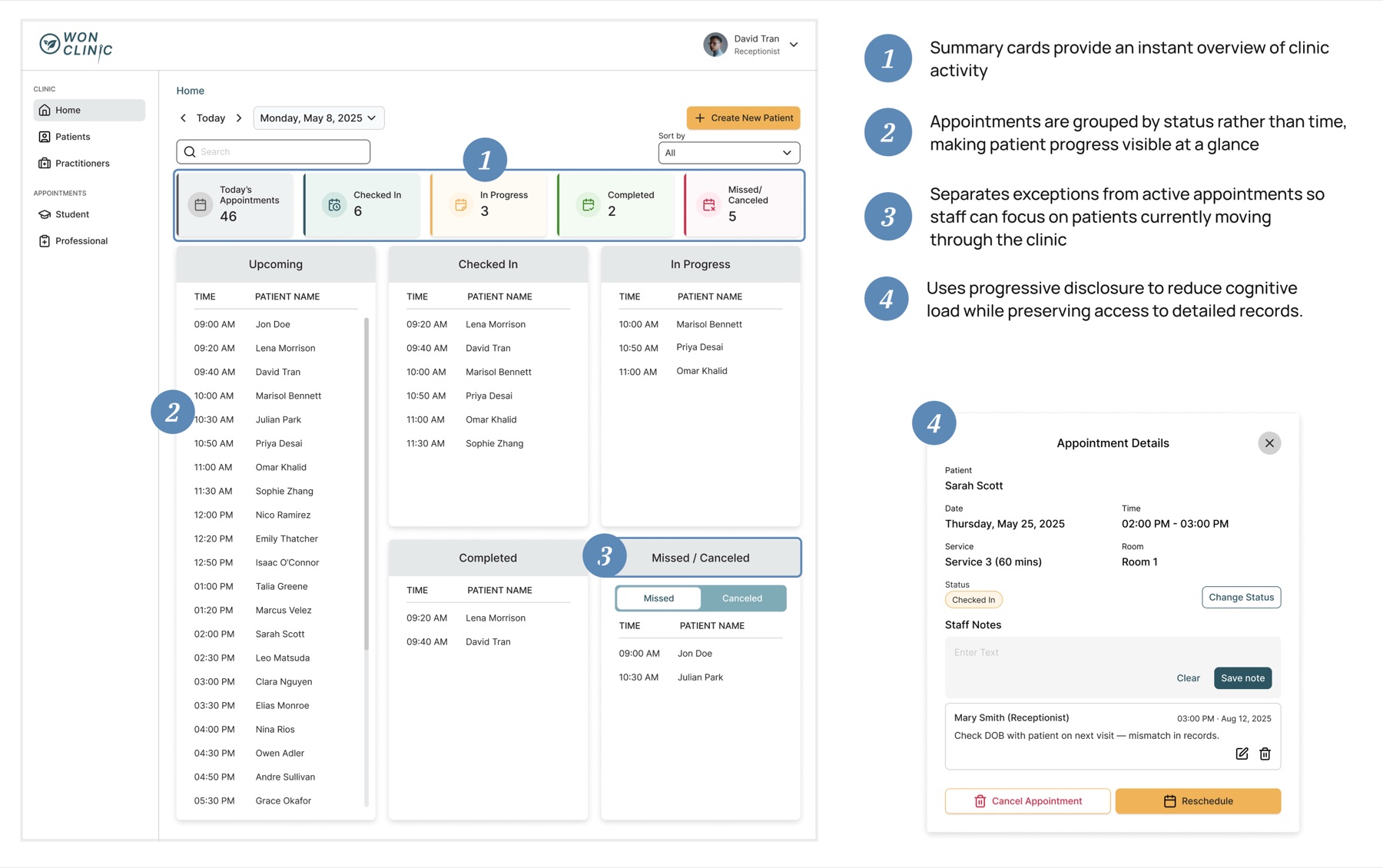
A real-time status view replacing a flat record table
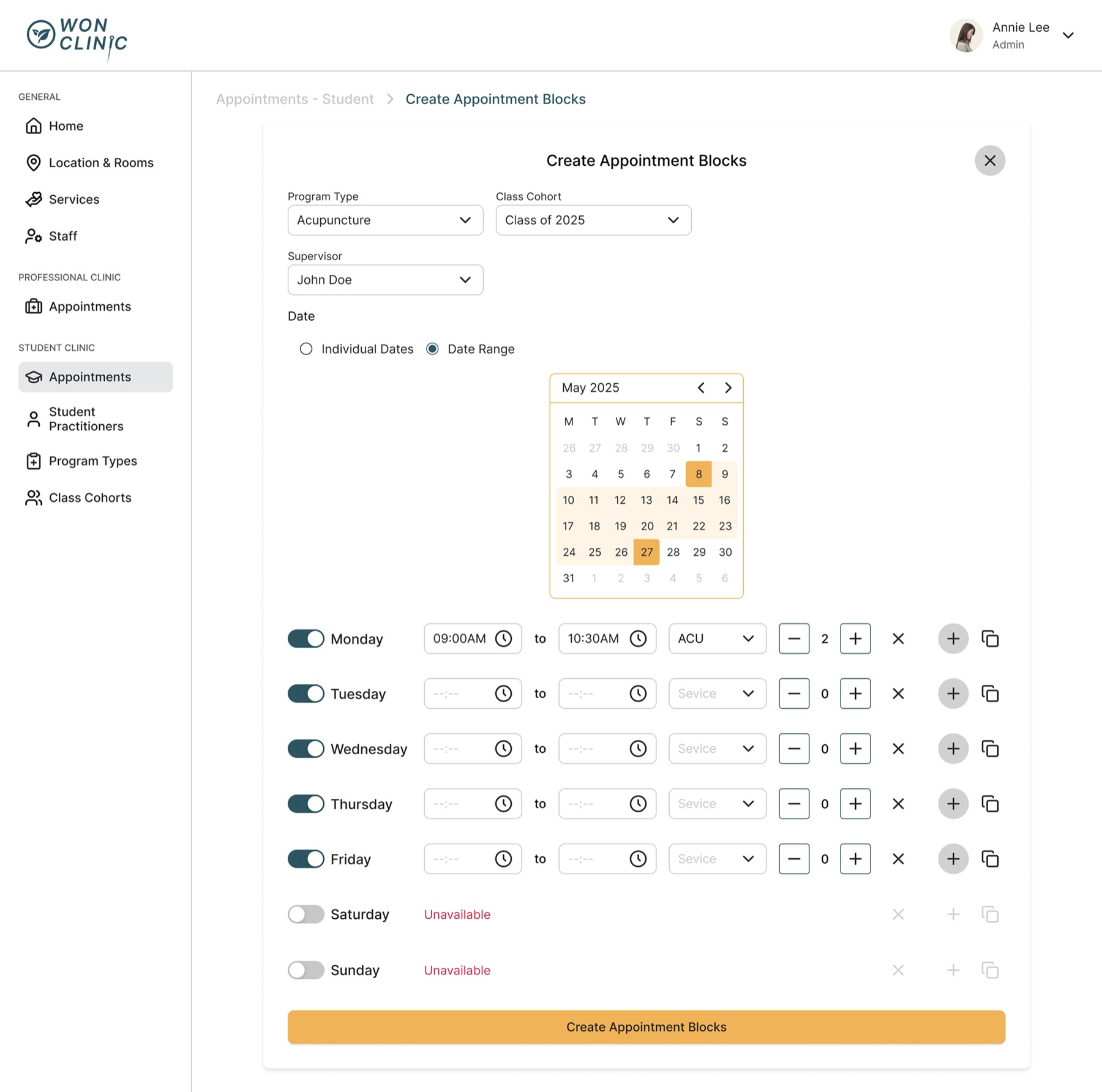
Appointment Block Generator
A native bulk scheduling tool that brought teaching clinic management back into the platform
The Process
What User Interviews Revealed
Receptionists were managing 40–60 appointments a day through a table built for data entry, not for a live front desk.
Administrators couldn't create bulk appointment blocks in the platform, so they moved semester scheduling to Google Calendar entirely
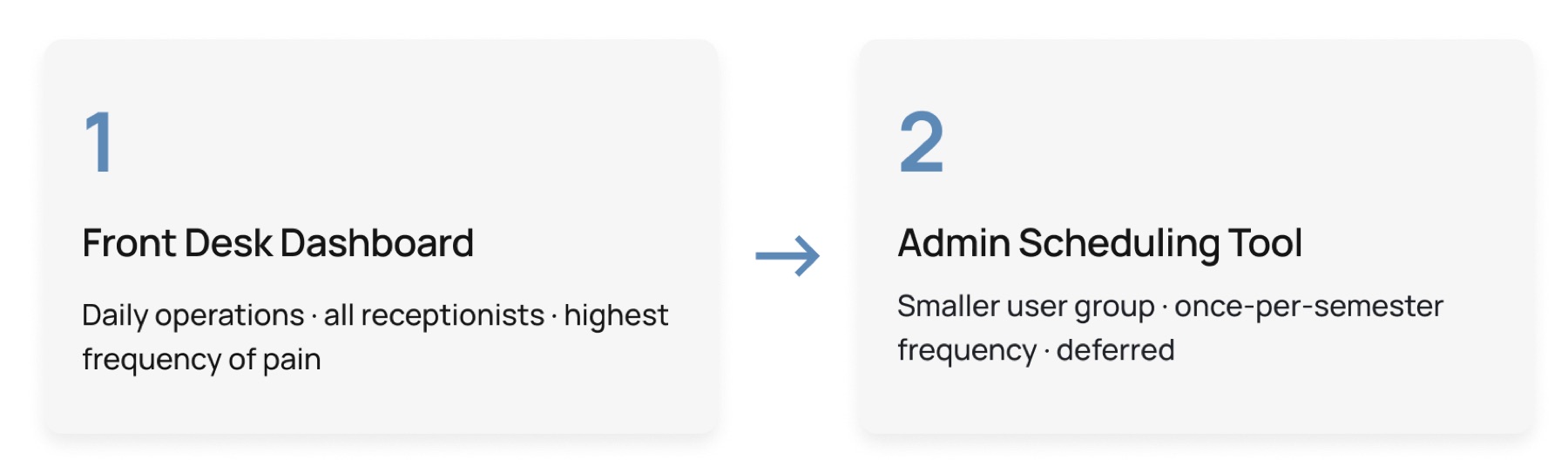
How I Decided Which Problem to Solve First
I started with the receptionist workflow because it touched every patient interaction, every single day. Working with the PM, I scored each problem across four dimensions: frequency of impact, operational risk, adoption potential, and engineering feasibility. The receptionist workflow came out ahead on three of the four.
Phase 1: The Front Desk Dashboard
Competitive Analysis
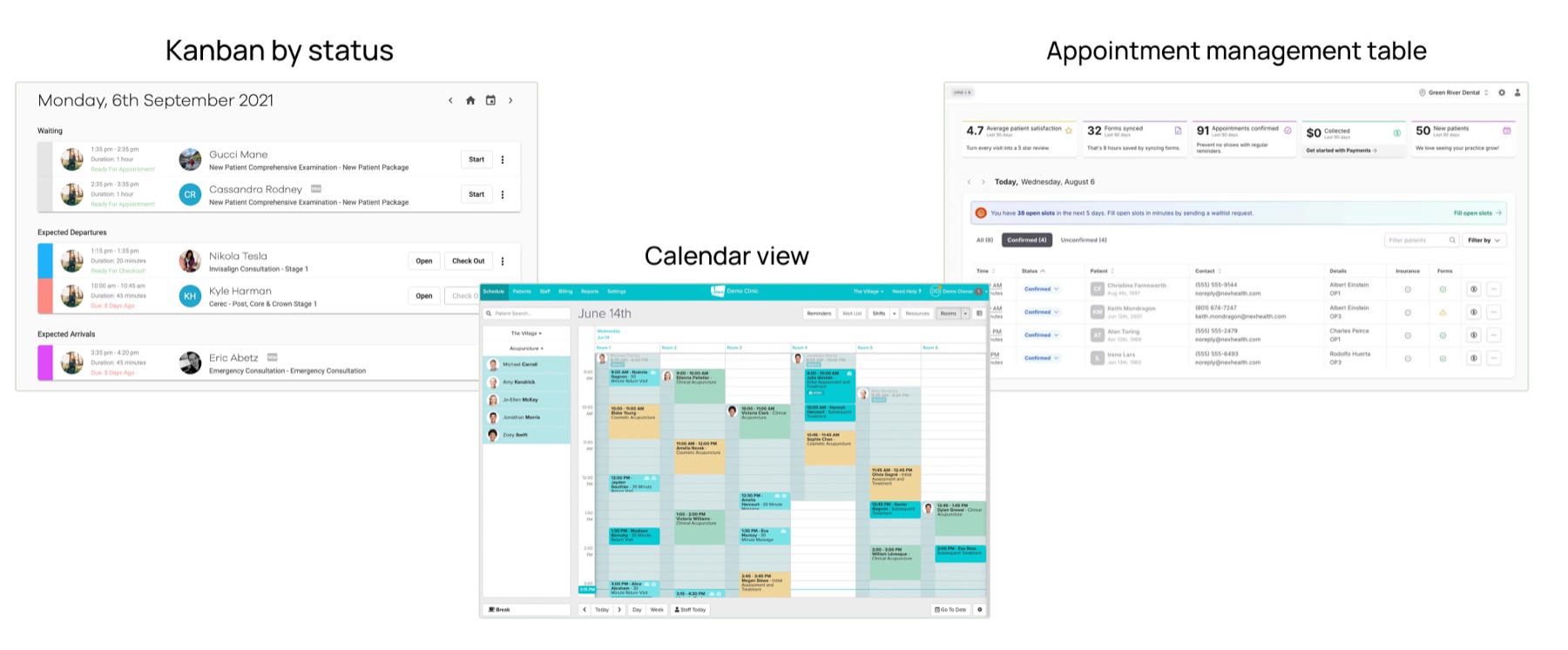
Before designing, I looked at how other healthcare scheduling tools handle front-desk operations, such as Kanban-style status boards, calendar views, appointment tables. The pattern was consistent: tools built for live front-desk work prioritize status visibility and quick action over data entry.
Ideation
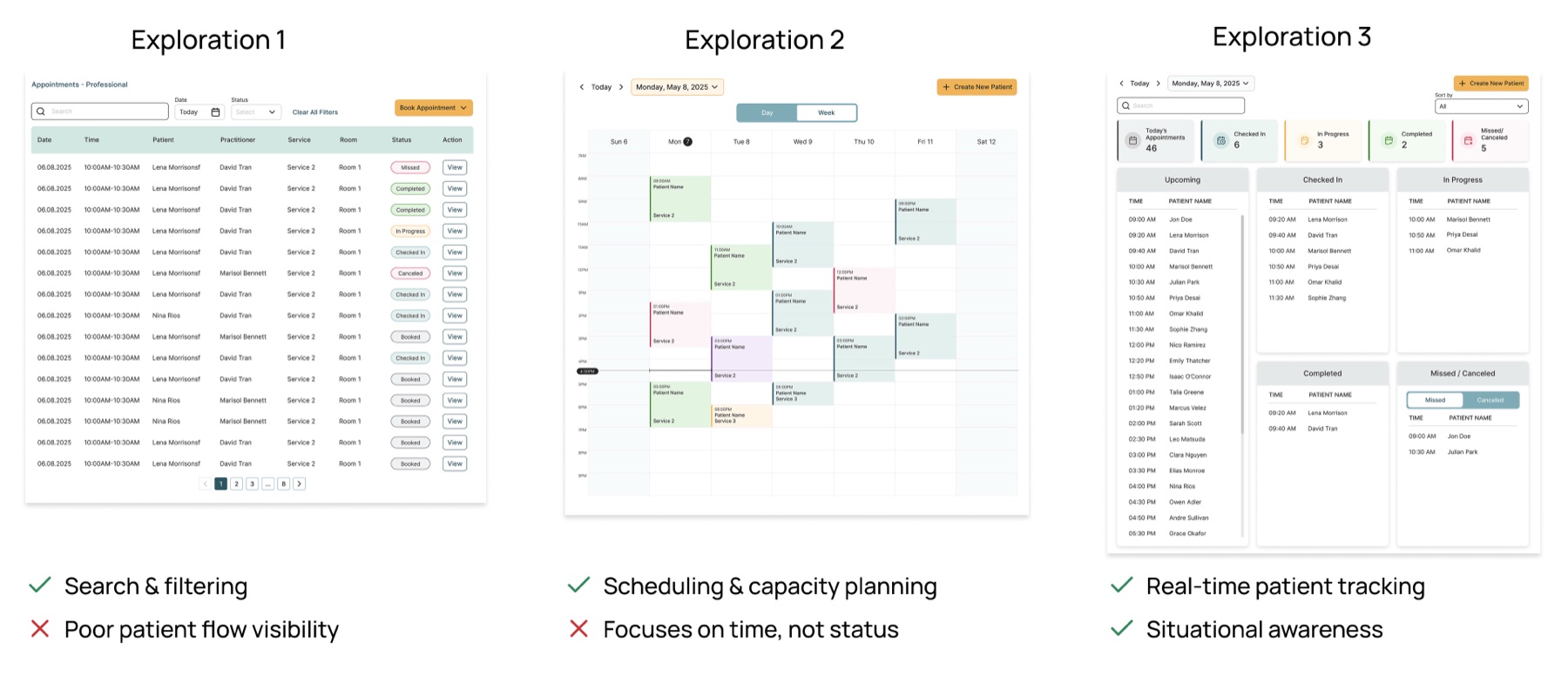
I explored three approaches: a table view, a calendar view, and a status-based dashboard. The table view improved search and filtering, while the calendar view supported scheduling and capacity planning. However, neither helped receptionists quickly understand patient progress. The status-based dashboard directly addressed the core pain point by making patient status visible at a glance.
Design Decisions
1.From a flat table to a status-driven view
2.Streamlining first-time patient booking
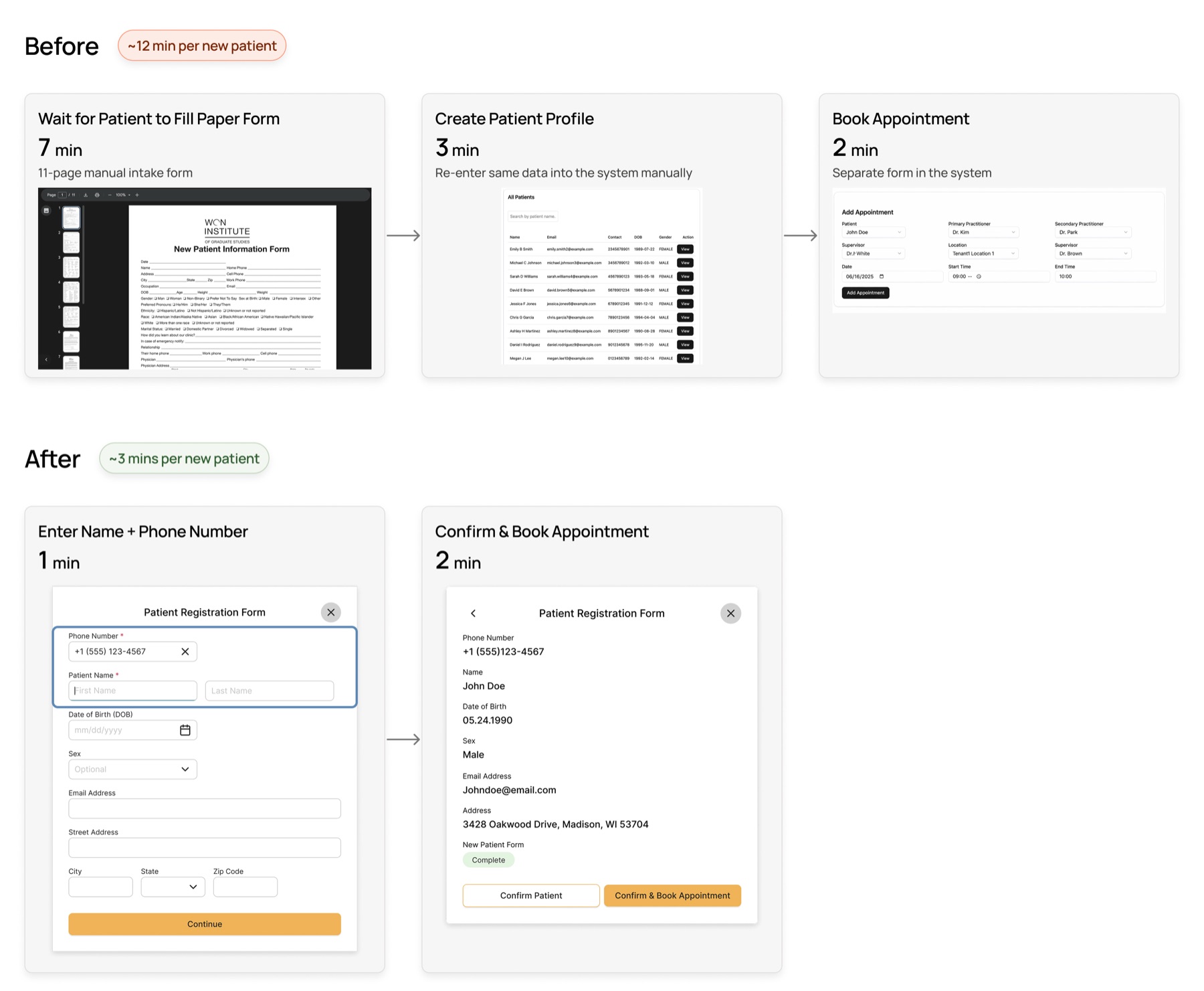
The original booking flow required receptionists to manage three separate steps — waiting for patients to fill an 11-page paper form, manually re-entering that same data to create a profile, then booking the appointment in a separate form. I collapsed this into two steps: enter a name and phone number, then confirm and book. The profile creation step was eliminated entirely, and patients complete the full intake form at their own pace after booking.
Phase 2: Admin Scheduling Tool That Eliminated the Google Calendar Workaround
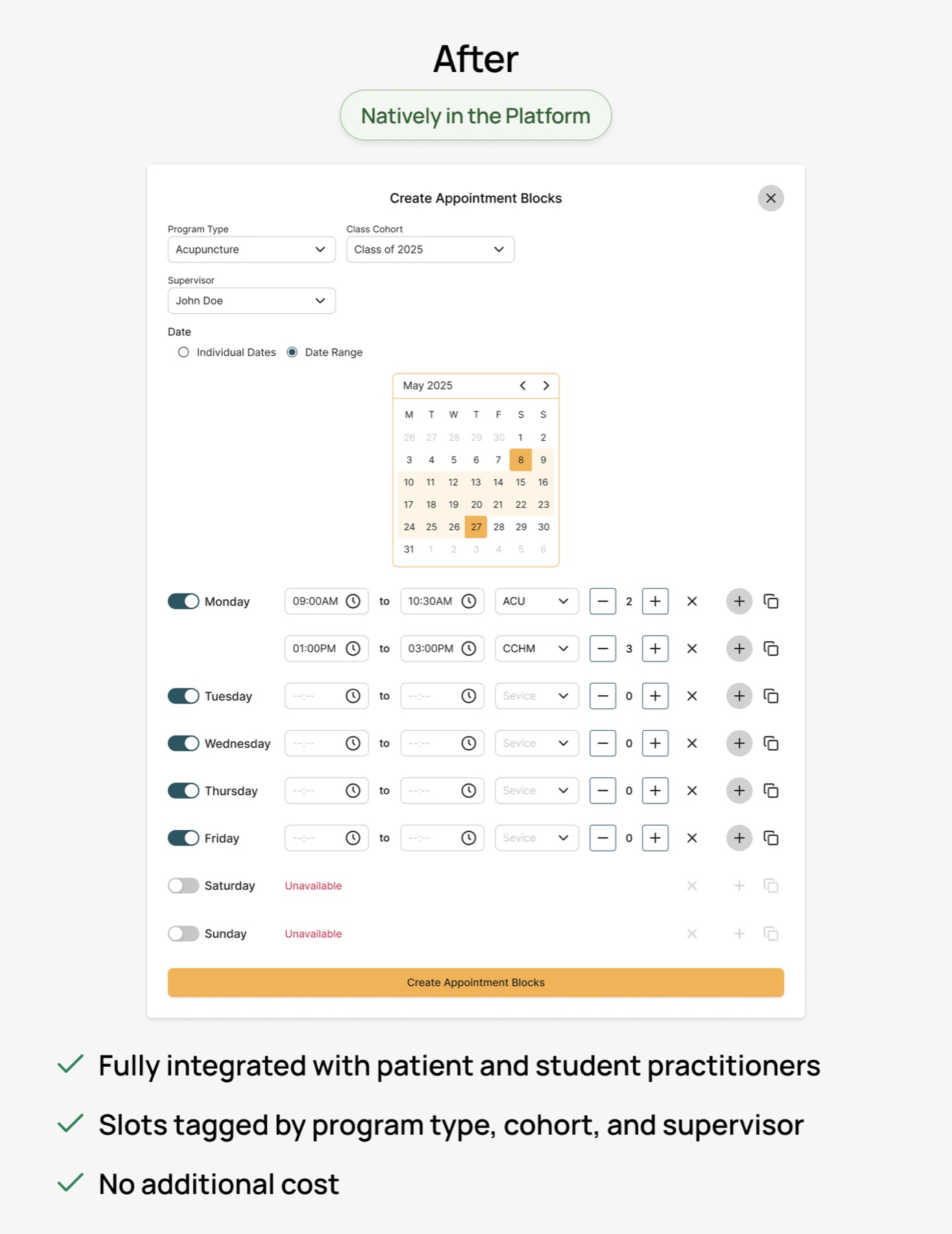
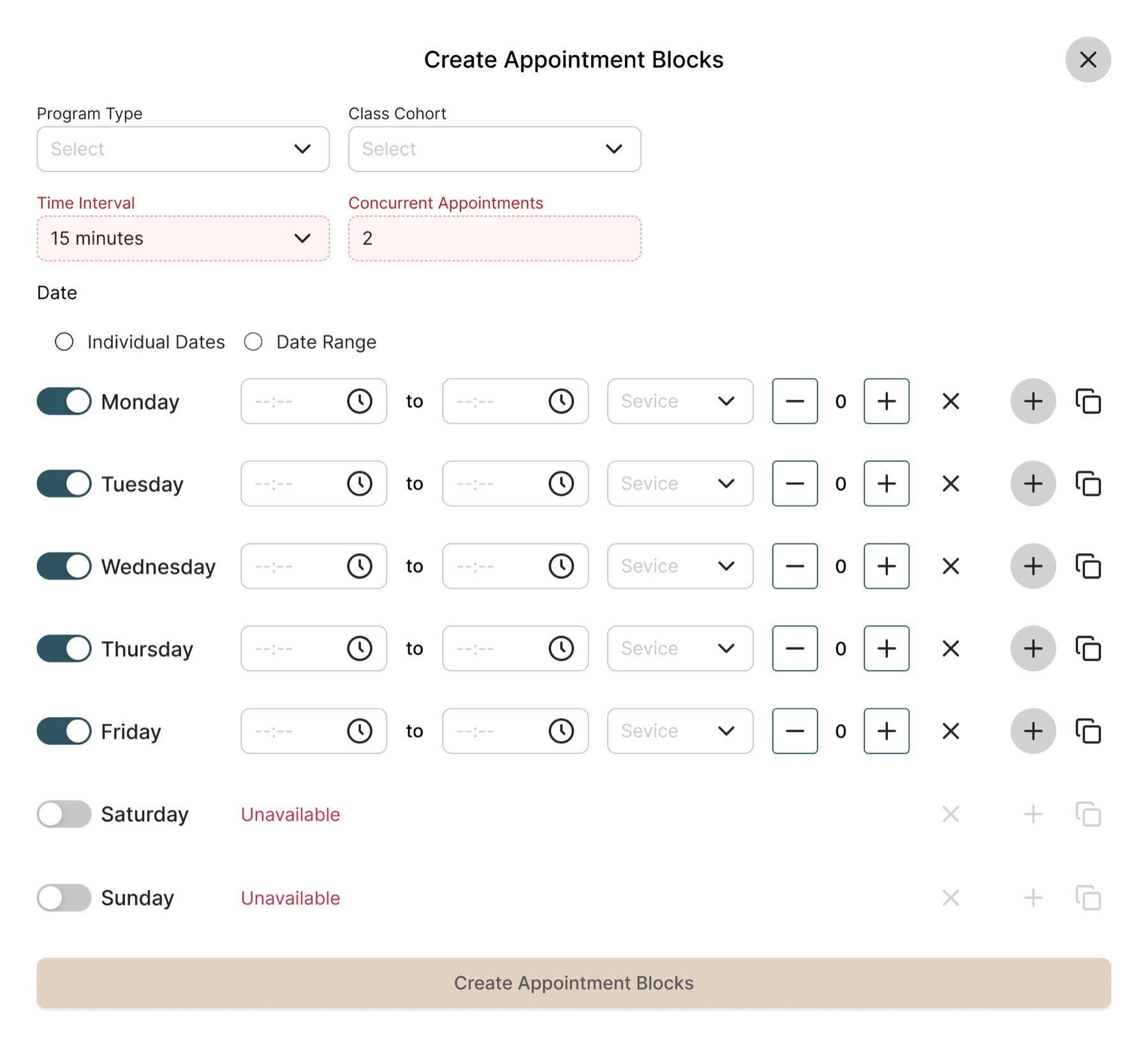
Trade off: We built for the common case, not every case
Ideally, the tool would support configurable time intervals, concurrent appointments, and full recurrence control. But building all of that would have added significant backend complexity for edge cases most admins never needed. So we scoped to the 90% case and deferred the rest to a future phase. The goal was a tool admins could actually use at the start of the next semester.
Beyond the Product: What Else I Shipped
1.Built a 50-Component Design System From Scratch, Shipped the Same Quarter
Developer-documented component library that now underpins the entire product. Built in parallel with this project, at no cost to delivery.
View Design System Case Study →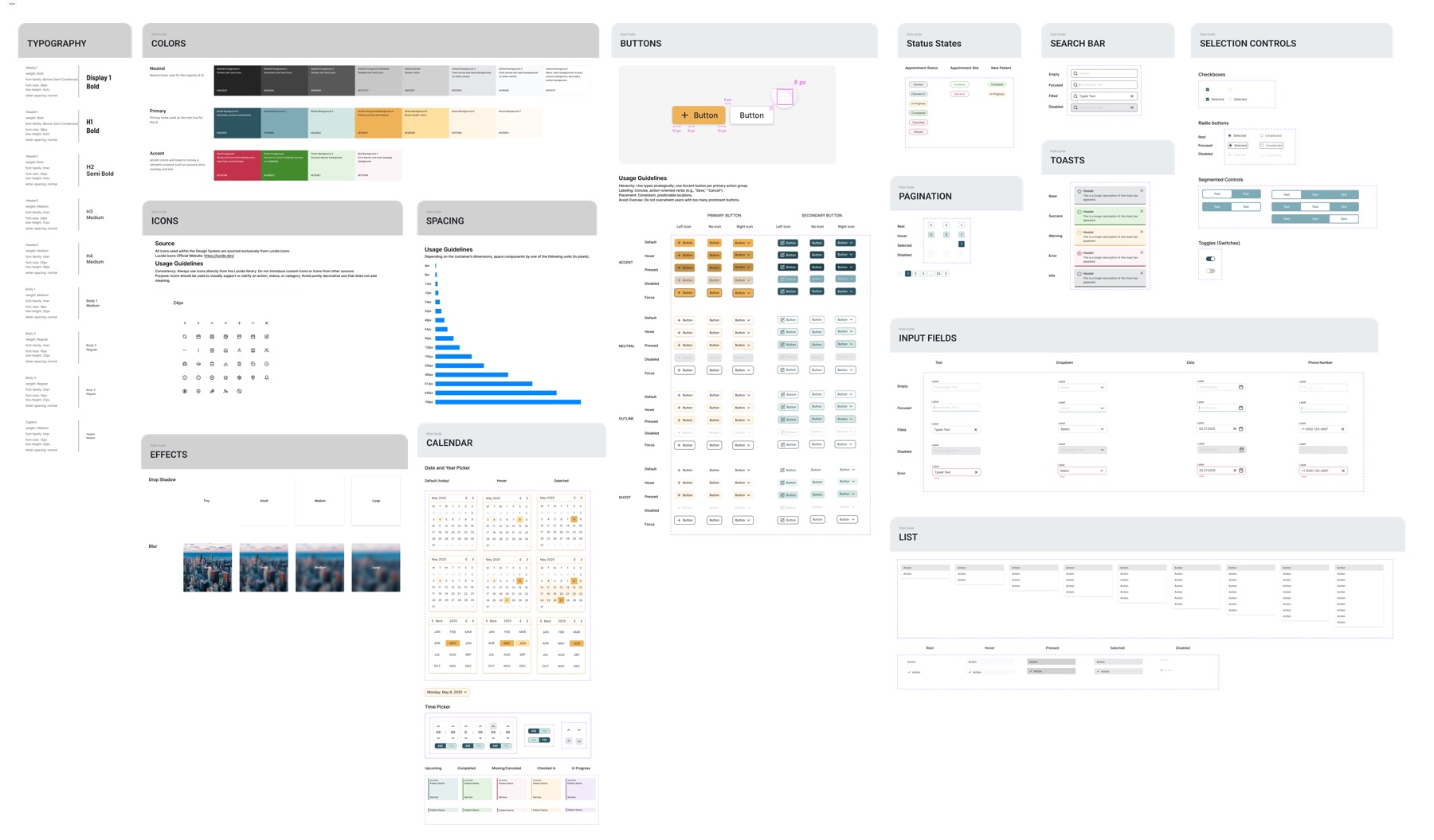
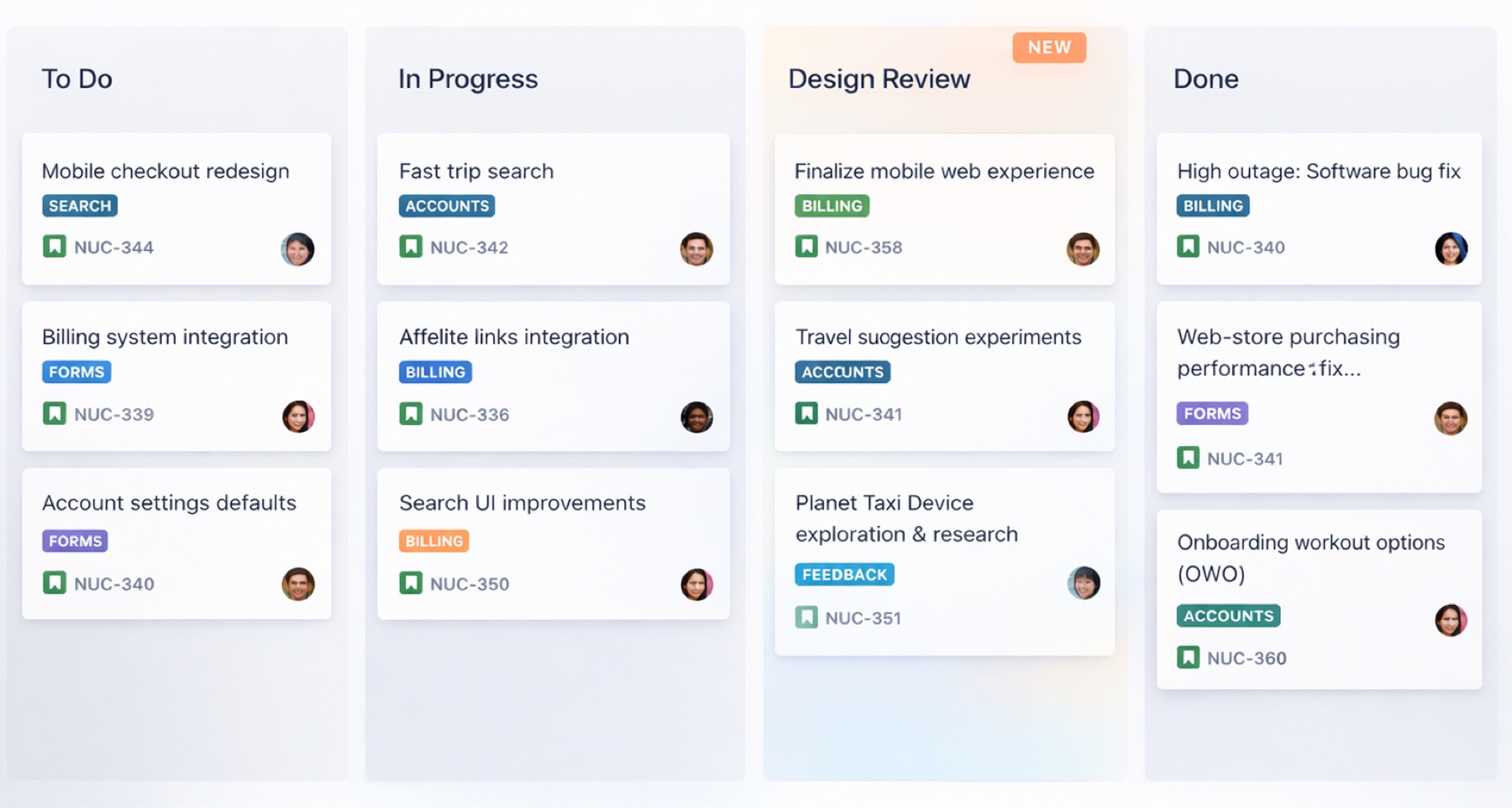
2.Introduced a Design Review Gate Into the Release Pipeline
Before this project, the team shipped directly to clients with no design validation step. I added a required Jira column before every release. Post-launch bugs from design–dev misalignment stopped.
Results & Impact
| Metric | Result |
|---|---|
| First-time patient booking time | ↓ 30% |
| Semester schedule generation time | ↓ 40% |
| Google Calendar dependency | Eliminated |
| Design–dev alignment | Formal design review gate added to release process |
What I Learned About Prioritization, Influence, and Scoping
- 1
Start where the stakes are highest, not where the work is easiest
The receptionist workflow took priority not because it was simpler, but because it had the highest daily blast radius. Every patient interaction depended on it. Getting that right first created trust, from the client, from engineering, and from the PM, that made Phase 2 easier to approve.
- 2
To influence a team, speak their language
Scoring problems on dimensions engineering and product already cared about turned a design argument into a shared decision the whole team could get behind.
- 3
Scoping is a design decision
I deliberately kept the Appointment Block Generator narrow. It creates blocks, it doesn't manage them. I cut calendar drag-and-drop, bulk editing, and conflict resolution from scope. Those features would have tripled the build time and pushed the launch past the semester start. The narrow version shipped on time and immediately replaced Google Calendar.