
AI Listing Generator That Gets Hosts From Zero to Platform-Ready Copy in 3 Minutes
View Prototype ↗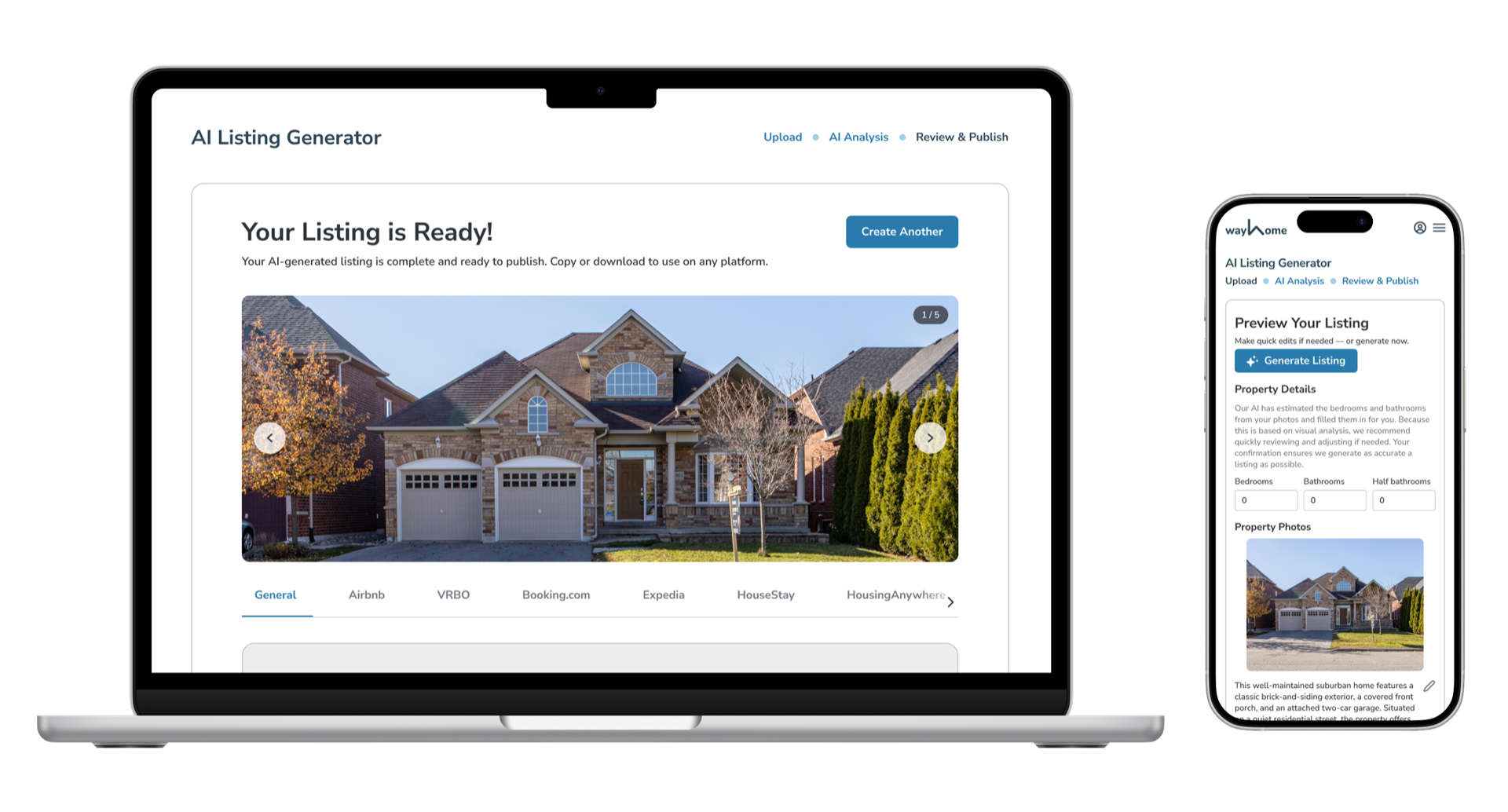
Rental hosts were copy-pasting the same description to every platform, and losing bookings because of it.
I designed a four-step AI flow that generates platform-specific listings in under 3 minutes. The key decision: show users what the AI understood before generating the final output. 80% of activated users completed the full workflow. 75% copied the output.
- 0% Of activated users completed the full workflow end-to-end
- 0% Of users copied generated listings
- 2 months From kickoff to shipped, cross-platform (desktop, tablet, mobile)
The Problem
Rental hosts reuse the same generic listing across every platform.
Mid-term rental hosts managed their own listings without marketing support. They posted identical copy to Airbnb, Vrbo, Booking.com — and didn't know why they underperformed. Writing platform-specific copy took time most hosts didn't have.
For Wayhome, this was a product credibility problem: the platform connected to six marketplaces but couldn't help hosts compete on any of them.
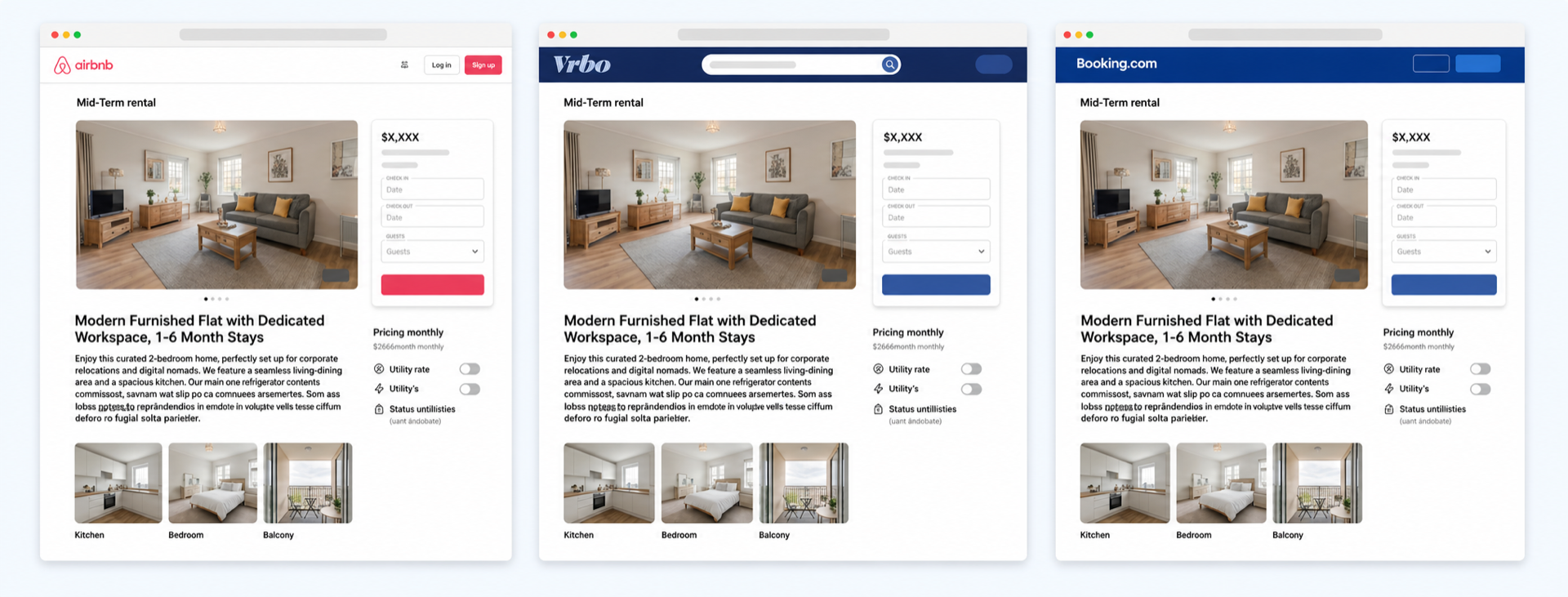
The goal: Let any host generate tailored, platform-ready listing copy in under 3 minutes.
The Solution
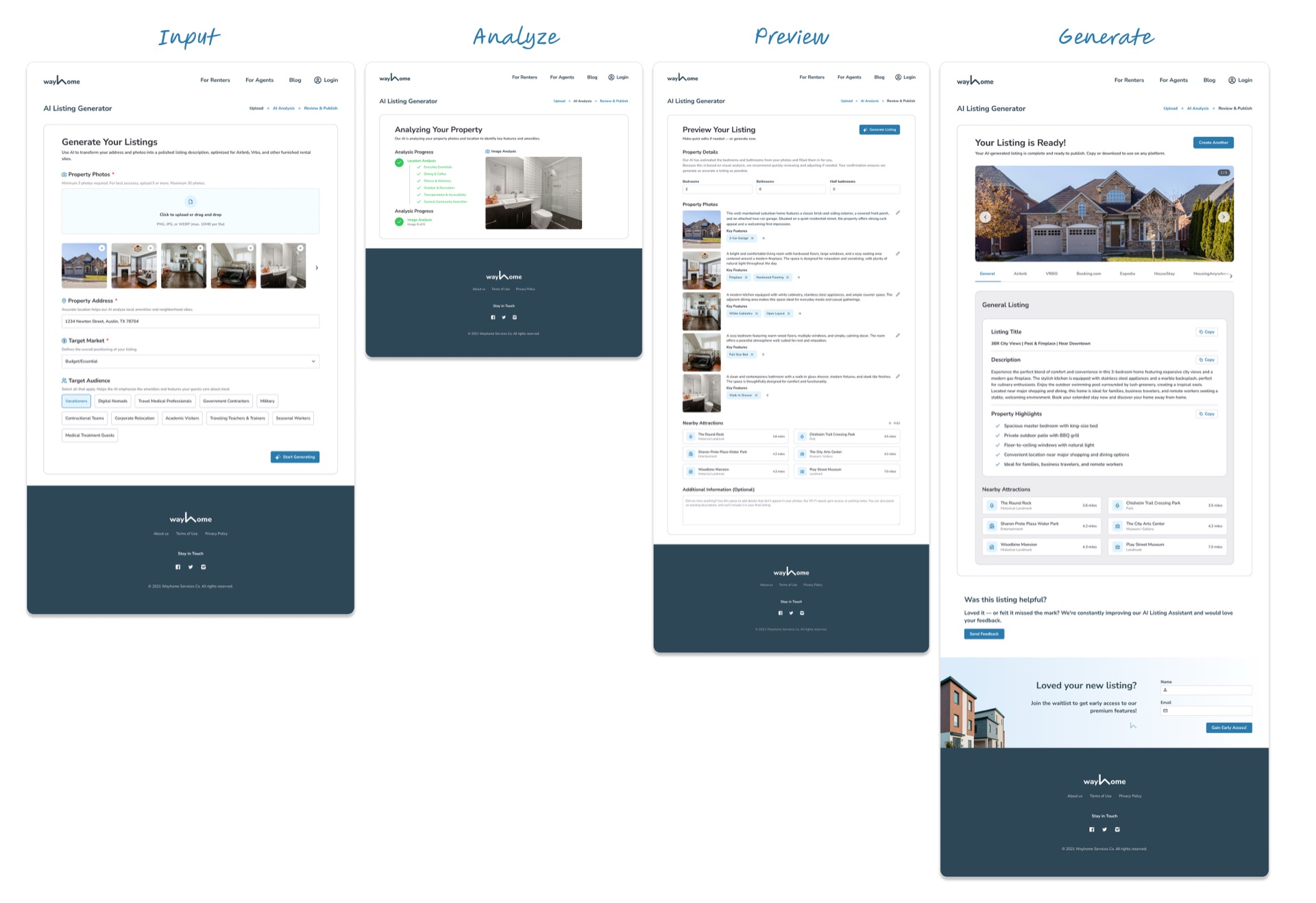
A Four-Step Flow
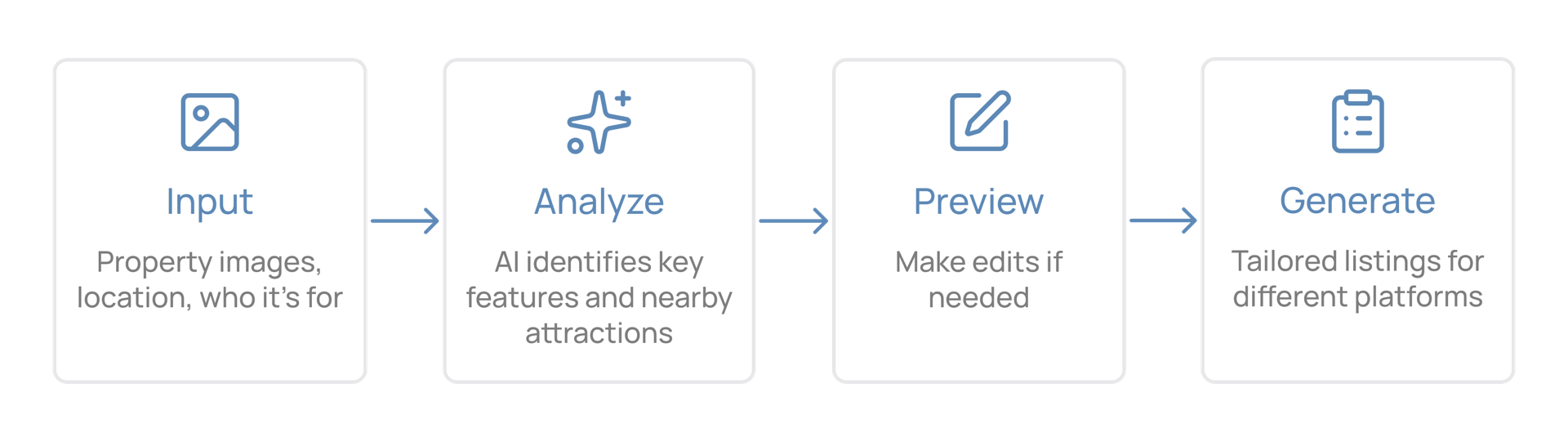
The Process
What Shaped the Design
- Hosts manage listings entirely on their own. No marketing support, no copywriter.
- Professional-quality content matters but takes expertise most hosts don't have.
- Platforms have meaningfully different audiences, tones, and formats.
- Any AI tool that required onboarding or learning would fail on first use.
Design Challenge 1: Users Didn't Trust Output They Couldn't Verify
Key Insight: Trust requires visible reasoning — not just results.
When the AI generated a finished listing instantly, users didn't trust it. And when the output was wrong, they had no way to fix it.
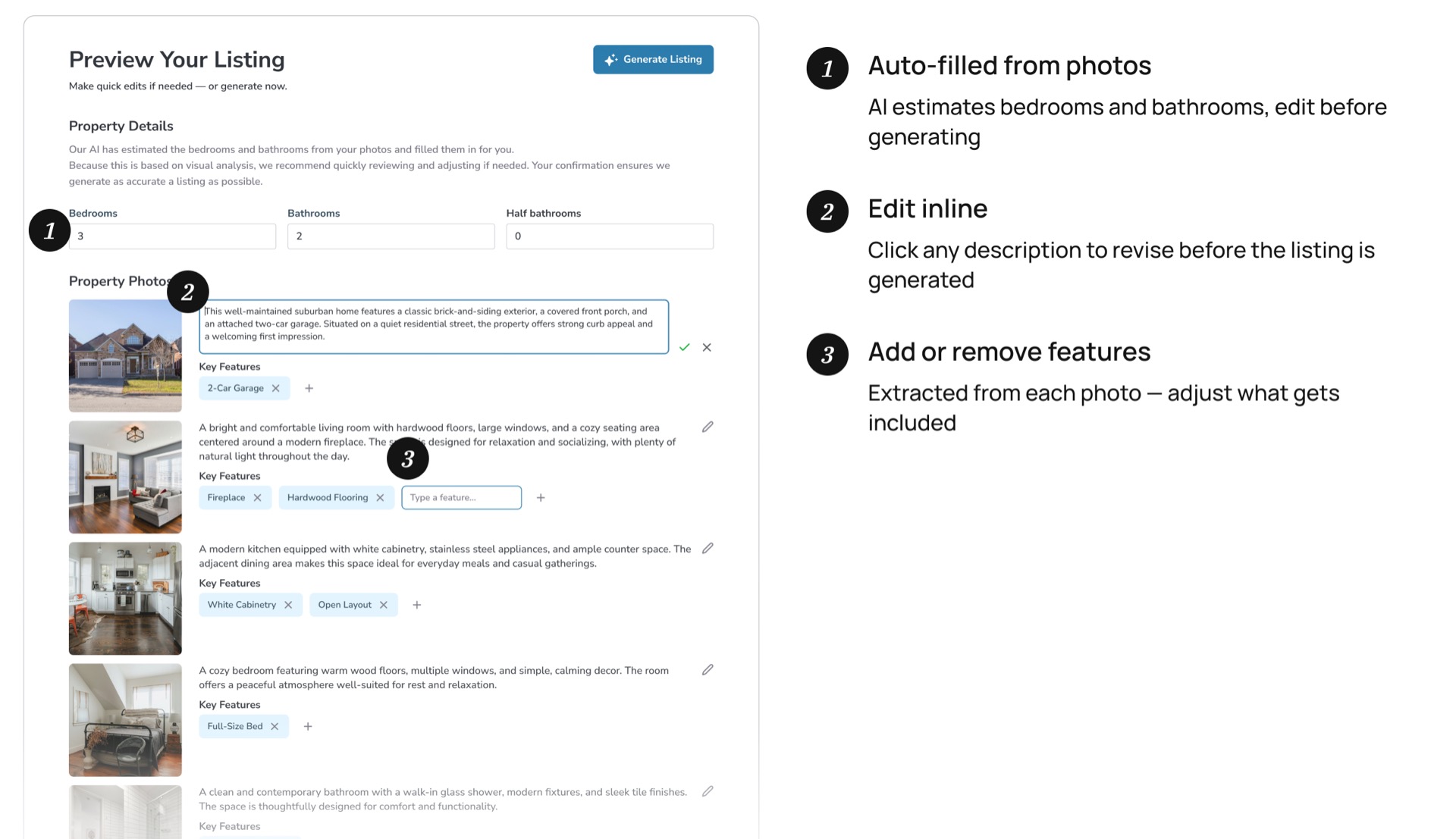
Most AI tools deliver output immediately. I added a Preview step between Analysis and Generate. Before the final listing is produced, users see three things the AI identified: an AI-generated description, key property features extracted from photos, and property specs pulled from listing data. Each is editable. Letting users correct these before generation meant the final output was usable on the first try.
Design Challenge 2: A 10–20s AI Process Was Hard to Communicate to Users and Engineering
AI analysis takes 10–20 seconds, which is long enough to feel broken. The multi-step process (location analysis, then image processing) was also complex to spec. This was the same underlying challenge from two angles: how do you make a black-box process feel legible, both for users waiting for results and for engineers building it?
Solution for Users: Progressive Loading Instead of a Spinner
A generic spinner communicates nothing. I redesigned the loading state to show each step completing sequentially — location analysis finishes, then image processing begins.
In usability testing, users described the original version (all steps loading at once) as "chaotic." Showing one step at a time increased perceived confidence with zero change to actual processing speed.
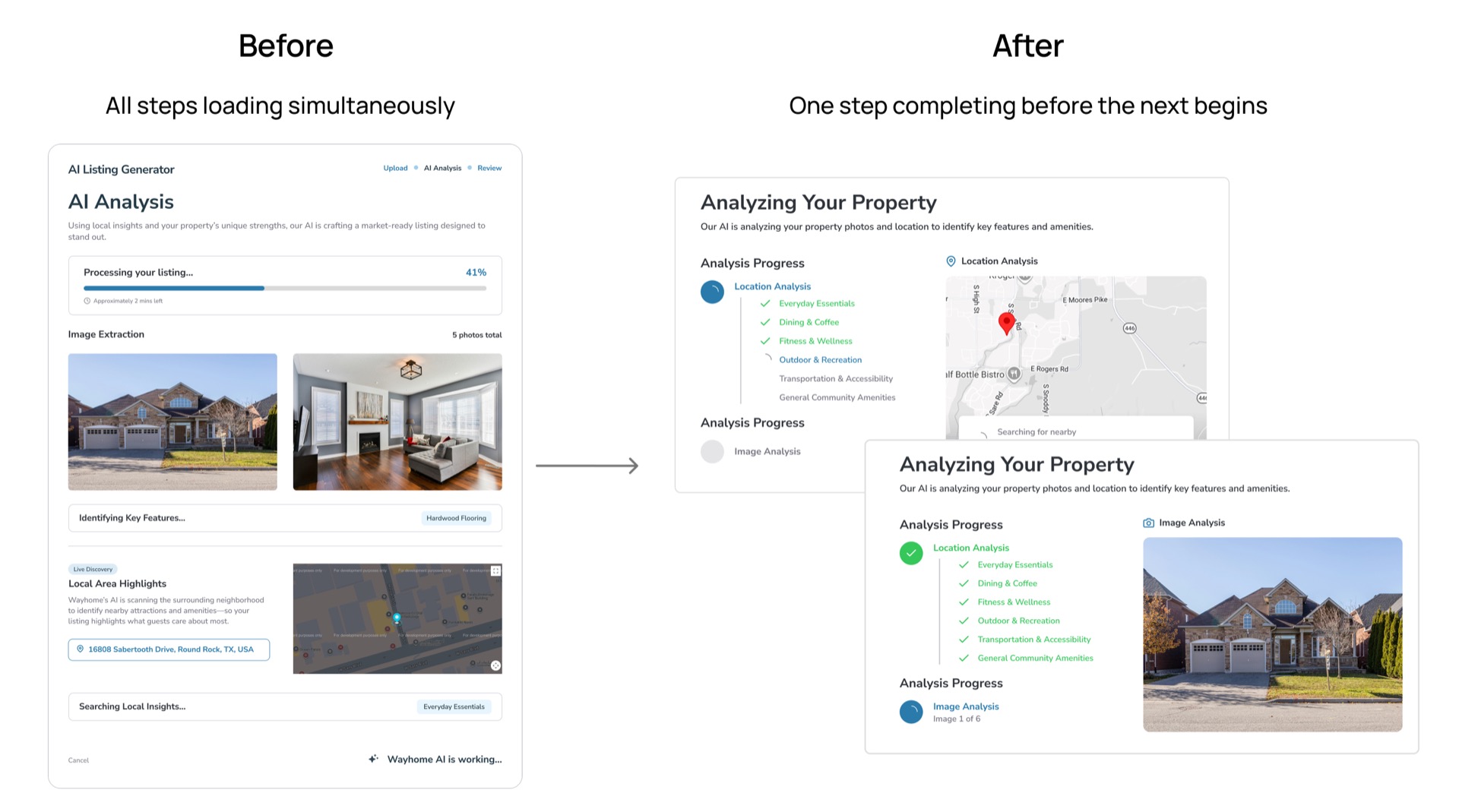
Solution for Engineering: Prototyped using Figma AI to Align in One Session
Static specs couldn't capture the timing and sequencing of a multi-step AI flow. I built a near-functional prototype in Figma Make instead. One walkthrough. Zero redesigns after handoff. The loading sequence and Preview step shipped exactly as prototyped.
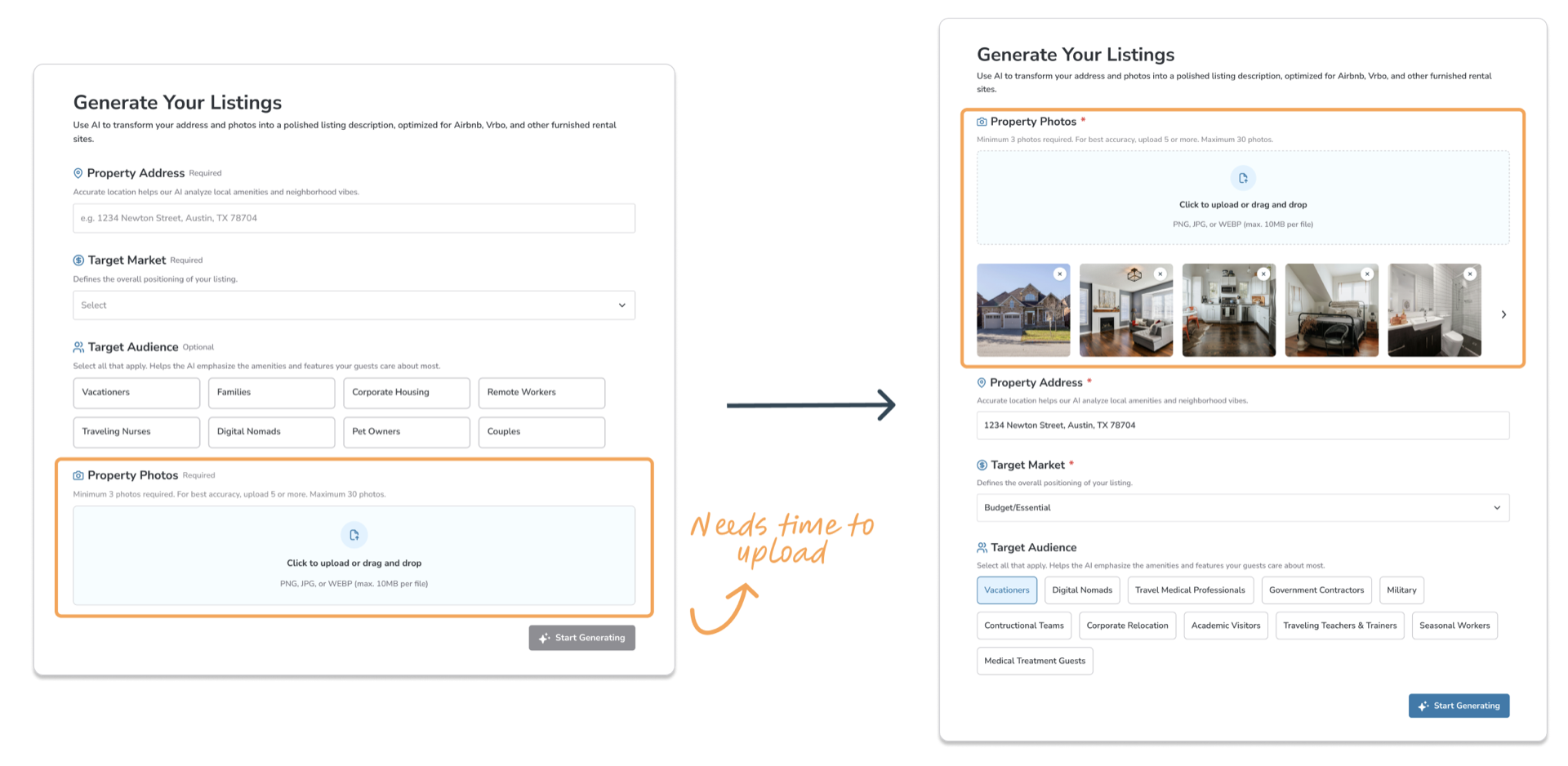
What Else Changed in Usability Testing: Moved Photo Upload First
Originally placed at the end of the form, it created a long wait after submission. Moving it to step one let processing run in parallel while users filled in property details, which eliminated the perceived wait. Three participants flagged the loading time before the change.
Final Design
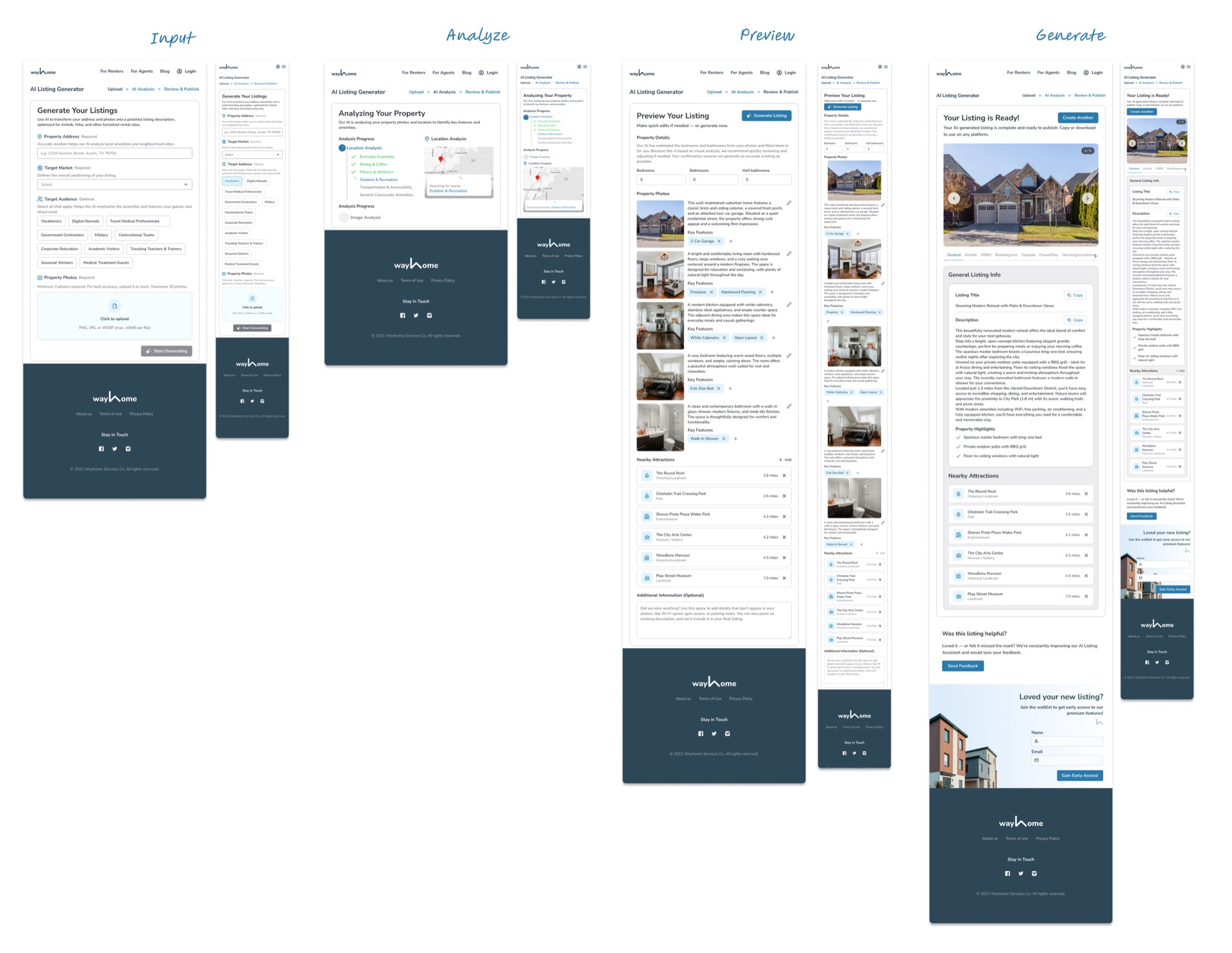
Shipped to live users in April 2026 — desktop, tablet, and mobile
Results & Early Impact
- 80% of activated users completed the full workflow end-to-end
- 75% copied at least one section of generated content
It gave me a lot of ideas on how to better target my audience.
Impact measured through Amplitude funnel analytics. Activated users = completed photo upload and input steps. Workflow completion = reached Generate step with at least one listing displayed. Engagement = copied at least one section of generated content.
What I Learned
Balancing UX and Business Goals
Working closely with the sales team highlighted the importance of timing in product design. The sales team wanted to drive waitlist sign-ups — a completely valid business goal. But placing that promotion inside the input flow would have interrupted users at exactly the wrong moment: mid-task, mid-concentration. My solution was a post-generation pop-up and a persistent footer banner, both appearing only after users received the generated listing. Users had already gotten value; the ask didn't feel like an interruption anymore. The sales team got their touchpoint. Users didn't notice it as friction. Both goals were met.
Prototype fidelity is a communication tool, not a design deliverable.
Building a high-fidelity, near-functional prototype in Figma Make wasn't about polish, but about eliminating ambiguity with engineering before a single line of code was written. The AI loading sequence and the preview step would have taken multiple rounds of back-and-forth to specify in static specs. Showing it working made the alignment instant. The feature shipped with almost no redesign after handoff.